
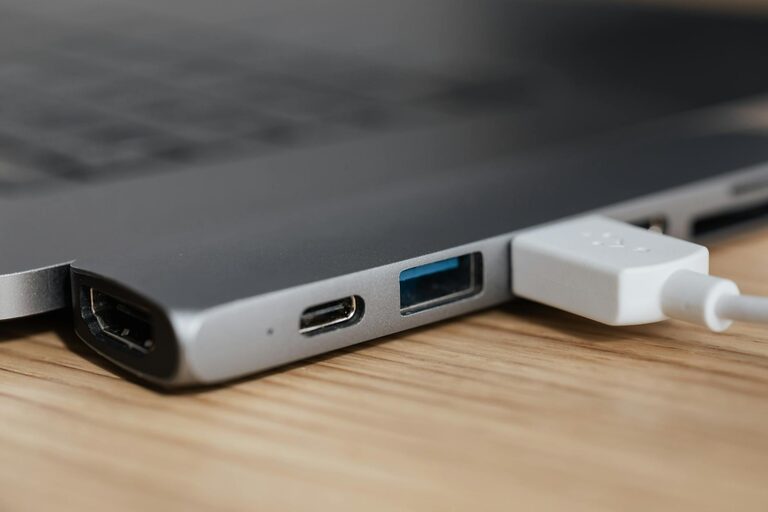
Setting up a dedicated charging station for your devices can simplify your daily routine and reduce clutter around your home or workspace. With multiple gadgets like smartphones, tablets, smartwatches, and wireless earbuds in everyday use, having a single, organized spot to recharge them makes life easier and more efficient.
In this post, we’ll guide you through the steps to create a practical and stylish charging station tailored to your needs.
Why Create a Charging Station?
Before diving into the setup, it’s helpful to understand the benefits:
– Organization: Keep cords and devices tidy and easy to find.
– Convenience: Charge multiple devices at once without searching for outlets.
– Safety: Prevent tangled cables and reduce wear on device ports.
– Aesthetics: Create a neat and appealing space rather than a messy pile of electronics.
Step 1: Choose the Right Location
The first step is finding the best spot for your charging station. Consider these factors:
– Accessibility: Select a place where you frequently use or store your devices, like a desk, nightstand, or entryway table.
– Power availability: Ensure the area has easy access to electrical outlets.
– Safety: Avoid areas prone to spills or excess heat.
– Visibility: Pick a visible spot that encourages regular use.
Step 2: Gather Necessary Materials
Before assembling your charging station, collect the essential items:
– Power strip or multi-port USB charger: Allows you to plug in multiple devices simultaneously.
– Charging cables: Keep appropriate cables (USB-C, Lightning, Micro-USB) for each device.
– Cable organizer: Use clips, sleeves, or boxes to keep cables neat.
– Container or tray: Holds the devices as they charge.
– Labels (optional): Identify charging cables to avoid confusion.
– Decor elements (optional): A mat, decorative box, or stand to enhance appearance.
Step 3: Select Your Charging Devices
Depending on your gadget collection, you might need:
– Multi-port USB charger: Look for chargers that support fast charging and multiple outputs.
– Wireless charging pad: For devices that support wireless charging.
– Individual chargers: For devices that require specific adapters.
Tip: Investing in a universal multi-port charger can reduce the number of plugs and cables needed.
Step 4: Organize and Manage Cables
Cable clutter is the main challenge of a charging station. Here are some strategies to keep things tidy:
– Use cable clips or hooks: Attach these to the edge of your table or inside a container to hold cables in place.
– Cable sleeves: Bundle multiple cables together to reduce tangling.
– Velcro or twist ties: Keep excess cable length coiled neatly.
– Label cables: Mark each cable to quickly identify which device it belongs to.
Step 5: Arrange the Devices
Place your devices on or in the container/tray as they charge. Consider these tips:
– Keep the station ventilated: Avoid stacking devices to prevent overheating.
– Group by charging type: Place wireless charging devices together, and plug-in devices nearby.
– Leave some free space: Allows room for adding new devices in the future.
Step 6: Add Finishing Touches
To make your charging station both functional and attractive:
– Add a small lamp or light: Useful if the station is in a darker area.
– Use a mat or coaster: Protect surfaces from scratches or heat.
– Decorate with personal items: Photos or plants can make the space inviting.
Maintenance Tips for Your Charging Station
– Regularly untangle and clean cables: Dust and dirt can affect charging efficiency.
– Check cables and chargers for damage: Replace any worn or frayed components.
– Reevaluate device needs: Adjust your station based on new devices or changes in usage.
– Keep outlets and plugs accessible: Ensure nothing blocks easy disconnection.
Conclusion
Creating a charging station is a simple project that can bring order and convenience to your electronic devices’ charging needs. By choosing the right spot, gathering the appropriate materials, and organizing cables and devices thoughtfully, you can build a charging hub that fits your lifestyle.
Whether for a busy family or a tech-savvy individual, a well-managed charging station keeps your devices powered and ready without clutter or frustration.
—
Feel free to customize your charging station to match your preferences and space. With a little effort, you’ll enjoy a cleaner, more efficient setup every day!