
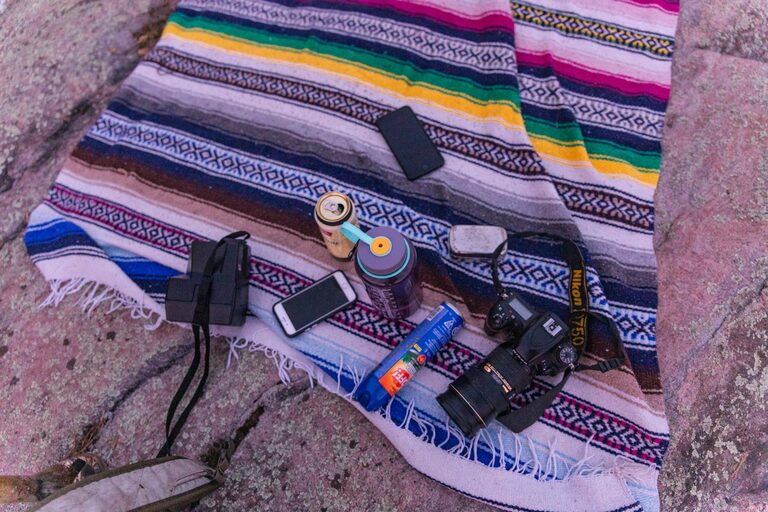
Taking great photos with your phone is easier than you might think. With the technology in modern smartphones, anyone can capture beautiful images—whether it’s for social media, memories, or just for fun. If you’re new to phone photography, this guide will walk you through easy yet powerful tips to help you take better photos and make the most of your phone’s camera.
Get to Know Your Phone Camera
Before diving into advanced techniques, spend some time exploring your phone camera’s features:
– Explore shooting modes: Many phones offer modes like portrait, panorama, night, or pro mode.
– Adjust exposure: Learn how to brighten or darken your image by tapping and sliding on the screen.
– Understand focus: Tap on your subject to bring it into focus for sharper images.
– Try HDR: High Dynamic Range (HDR) mode combines exposures for better detail in highlights and shadows.
Knowing these basics sets a solid foundation.
Keep Your Lens Clean
A simple but often overlooked tip is to clean your phone’s camera lens regularly. Dust, fingerprints, or smudges can blur or soften your photos. Use a soft, lint-free cloth—like a microfiber cloth—to gently wipe the lens before shooting.
Use Natural Light Whenever Possible
Lighting is one of the most important elements of photography.
– Shoot in soft light: Early mornings or late afternoons provide flattering, warm light. Avoid harsh midday sun that creates strong shadows.
– Position your subject: Make sure your subject is well-lit from the front or side. Avoid backlighting unless you want a silhouette effect.
– Use reflections and shade: Overcast days or shaded areas can provide even, diffused lighting.
Letting natural light work for you improves image quality and colors.
Compose Your Shot Thoughtfully
Composition is how you arrange subjects and elements in your photo.
Rule of Thirds
Most phone cameras can display a grid. Use this grid to place your subject off-center, aligning it with one of the vertical or horizontal lines. This creates a more balanced and engaging image.
Leading Lines
Use lines in your environment—roads, fences, or buildings—to draw the viewer’s eye toward your subject.
Background Check
Make sure the background isn’t cluttered or distracting. A clean background helps your subject stand out.
Hold Your Phone Steady
Camera shake can cause blurry images. Here are some tips to keep your phone steady:
– Use both hands: Hold your phone with two hands for stability.
– Lean on a surface: Rest your elbows on a table or lean against a wall.
– Use a tripod or stand: Affordable phone tripods are available and great for sharper images or long exposure shots.
– Use the timer: Set a 2-second timer to avoid shaking when tapping the shutter.
Steady shots lead to clearer and crisper photos.
Focus on the Subject
Make your subject stand out by using focus effectively.
– Tap on the screen where your subject appears to ensure it’s sharp.
– Some phones allow manual focus in pro or manual mode—experiment to get pinpoint focus.
– Avoid using digital zoom; instead, move closer to maintain image quality.
Experiment with Angles and Perspectives
Don’t just shoot from eye level. Try different angles:
– Get low: Shooting from ground level can create dramatic and unique photos.
– Shoot from above: Overhead shots give a different viewpoint and highlight shapes.
– Try close-ups: Capture details and textures by getting close to your subject.
Varied perspectives make your photos more interesting and creative.
Use Editing Apps Wisely
Editing can enhance your photos but keep it natural.
– Use photo editing apps like Snapseed, VSCO, or Lightroom Mobile to adjust brightness, contrast, and color.
– Crop to improve composition or remove distractions.
– Avoid heavy filters that can make photos look over-processed.
Editing helps polish your photos without masking their original beauty.
Practice Regularly and Learn from Others
The more you shoot, the better you’ll become. Try these to boost your skills:
– Join photography challenges on social media.
– Review your photos to see what worked and what didn’t.
– Follow photographers whose style you admire for inspiration.
Practice and observation are key to growth.
—
Taking better phone photos is about experimenting, understanding your camera, and paying attention to light and composition. Remember, the best camera is the one you have with you—your phone. With these beginner tips, you’ll be capturing stunning images in no time!